How to get pinyin only in the exercises section? (Newbie)

Hello, I’ve started using Chinese Pod this week after a couple of months learning Chinese through other resources.
I’ve started right from the beginning, with the oldest Newbie lessons.
I’m finding the lesson and dialogues very doable and enjoyable, but I find the exercises almost impossible, because at least in my laptop I am not able to make them appear only in pinyin and English, as I would like to. Hanzi is too hard for me right now, and there are several parts of the exercises which contain too many characters for my level.
I try to toggle between pinyin and hanzi in the red icon in the right-hand side corner of the exercises, where, when you click on “hanzi” it says “hide hanzi to practice your translation and writing skills” (and it becomes grey), but nothing happens, the exercises keep been offered in hanzi.
I’m using Chrome on Windows 8.
Any ideas?
Thanks a lot in advance.
2 replies

Hi, May,
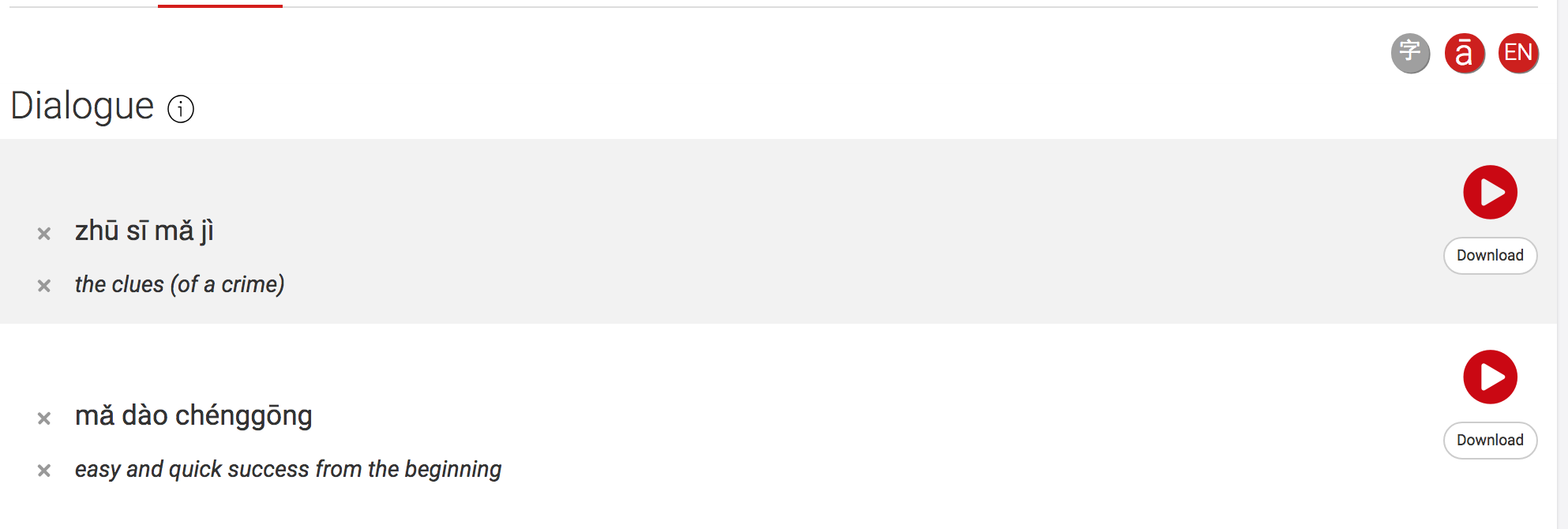
We are so glad to have you on ChinesePod. I checked on Chrome, and when I grey the Hanzi button, the Hanzi disappears. See the attached screenshot.
Can you please send us a screen shot? You may send it to support@chinesepod.com.
Your reply
You are posting as a guest. Your reply is reviewed before it appears. Log in to post without review.